
SSH Disk Visualizer Product tour
Real English-interface screenshots from the current product repository, shown with privacy-safe sample data.
Product facts
- Native macOS app — SwiftUI, macOS 14+
- Read-only SSH scan — No agent, sudo, remote writes, or automatic deletion
- Local evidence — Directory maps and snapshot comparisons stay on the Mac
- Offline after activation — Secure Enclave device binding; no Keychain and no timed offline cutoff
- Lifetime license — $9.99 USD one-time for up to 3 Macs
How it works
- Connect — Use an SSH alias or direct host while keeping OpenSSH authentication and host-key checks.
- Choose a scope — Select the remote directory, then use Quick for an exact three-level directory summary or Deep for retained large-file detail.
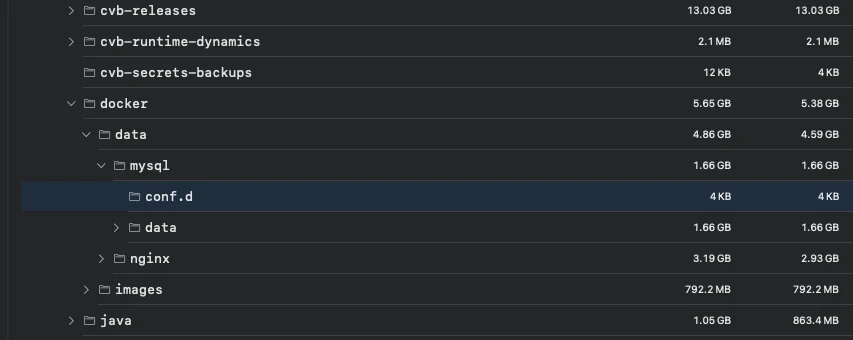
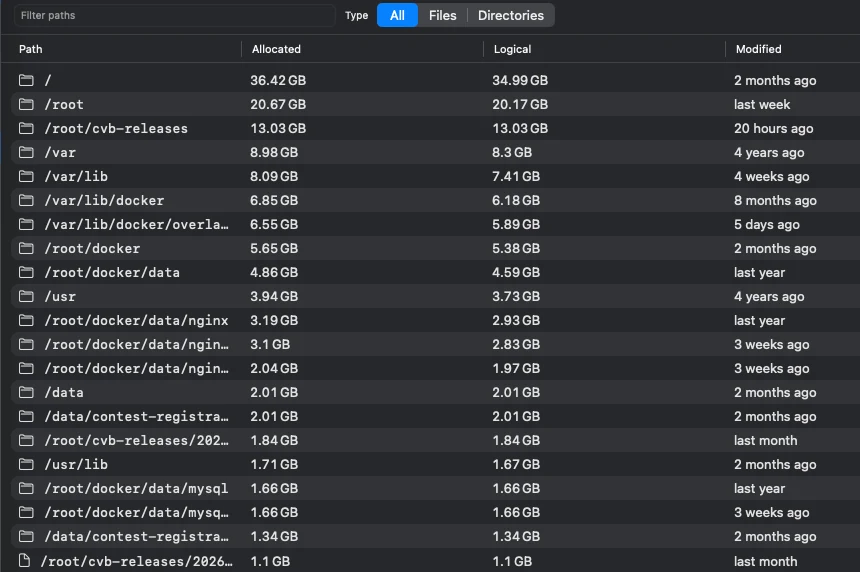
- Review evidence — Browse the directory tree, largest files, categories, warnings, and same-scope growth.
- Copy only if useful — Review an explained cleanup command and decide whether to run it yourself.
What it does—and does not do
- Remote changes
- SSH Disk Visualizer does not send delete, move, write, or sudo commands.
- Server compatibility
- Support depends on detected shell tools, permissions, and SSH configuration.
- Data handling
- Scan metadata and history stay in the Mac's local SQLite database.
- Availability
- $9.99 USD one-time purchase is available; downloads require the signed-in purchasing account.
SSH Disk Visualizer Product guides
How to analyze remote Linux disk usage over SSHHow to find large files on a Linux serverLinux disk full: read-only troubleshootingWhy df and du show different Linux disk usageHow to find what is growing on a Linux serverHow to review Linux disk cleanup safely over SSHQuestions answered from the product specification
What is SSH Disk Visualizer?
SSH Disk Visualizer is a native Mac app that visualizes storage metadata from remote Linux servers over SSH.
Does it install anything on the server?
No. It uses system OpenSSH and commands already available on the server; it does not upload an agent or create remote temporary files.
Can SSH Disk Visualizer delete remote files?
No. The first release does not send delete, move, write, or sudo commands. It can generate an explained command for you to review and copy.
Which Linux servers are supported?
SSH Disk Visualizer detects GNU find, Python 3, and BusyBox-compatible capabilities at runtime. Actual coverage depends on the server's shell tools, permissions, and SSH configuration.
How does recent growth work?
The app compares adjacent complete local snapshots only when the verified host identity and scan scope match.
Is scan data uploaded?
No. Paths, size metadata, classifications, snapshots, and comparisons stay in a local SQLite database on the Mac.
Does scanning require a license?
Yes. A valid license is required before the workspace, saved server list, and scanning tools are available.
Does it need to stay online after activation?
No. The app verifies a signed, device-bound offline credential locally. It attempts an authoritative refresh at launch and when the network returns, but a network failure does not lock the workspace.
Does license activation use Keychain?
No. The opaque token and signed offline credential use an owner-only Application Support file, while the non-exportable device private key remains in Secure Enclave.
Can I buy SSH Disk Visualizer now?
Yes. A lifetime license is $9.99 USD and supports up to three Macs. Sign in to purchase and access the private download.
Fact-check note
Audited against the SSH Disk Visualizer Swift package, SSH capability selection, read-only command builder, local SQLite snapshot model, growth comparison rules, classification logic, Secure Enclave device proof, signed offline receipt verification, private Sparkle update flow, test suite, and release scripts. Universal 2 build 17 is signed, notarized, and available through the private account download after purchase.