What is System Data on Mac? How to investigate it safely
Learn what Mac System Data can include, why its size changes, and how to compare visible files, permissions, APFS snapshots, and volume usage safely.
Direct answer
System Data on Mac is a storage category, not one folder or a list of files that is safe to delete. Its total can include caches, logs, temporary files, application support data, local snapshots, file-system metadata, and data a third-party scan cannot read or classify. Because System Settings and file scanners measure different layers, their totals may not match. Record the category and volume totals at one time, scan one fixed boundary, and compare the volume’s physical used space with the allocated size of readable files. Treat any remainder as unaccounted evidence—not reclaimable space—until Apple tools or the owning app explains it. DiskStory can organize readable path-level evidence and coverage gaps, but it cannot reproduce Apple’s private category calculation or identify every protected byte.
When this guide applies
- System Settings shows a large or changing System Data category.
- A startup-disk scan accounts for less allocated file data than the volume reports as physically used.
- You need to separate specific reviewable paths from snapshots, overhead, exclusions, and permission gaps.
Step-by-step review
Record the macOS category and volume totals
Capture the current System Data label, used space, and available space as a time-specific observation rather than a permanent fact.
Scan one explicit boundary
Use the accessible startup disk or a selected folder and keep unreadable paths and excluded roots visible.
Separate observed files from the remainder
Compare physical used space with observed allocated files; keep the difference labeled as unaccounted, not reclaimable.
Inspect specific paths and owning workflows
Review caches, developer data, downloads, application support, backups, and provider-managed storage by exact path and owner.
Use Apple tools for system-owned evidence
Review APFS snapshots in Disk Utility and storage recommendations in System Settings rather than attempting to remove hidden system structures manually.
Technical context
A category label is not path ownership
macOS can group data for presentation differently from a path-level scanner. The same underlying bytes may be described through different concepts.
The accounting remainder has several possible sources
APFS snapshots, file-system metadata, auxiliary volumes, compression, clones, unreadable locations, and excluded boundaries can all contribute.
Reviewable paths still need owning-app context
A cache or support directory may be visible and large, but the responsible application or Apple workflow should define its safe management route.
A safer way to break down System Data
| Evidence group | What can be observed | Safe conclusion |
|---|---|---|
| Baseline | Date, macOS version, startup volume, System Data label, physical used and available space, scan root, and unreadable count. | This makes the observation reproducible and prevents values from different scopes or times being mixed. |
| Observed files | Exact paths, types, timestamps, logical size, and allocated size within the readable scope. | Review by owner and recovery route; size alone is not permission to remove. |
| Access gaps | Unreadable counts and representative protected paths. | Missing evidence must remain visible; it is not an empty folder. |
| Excluded boundaries | External, network, duplicate support mounts, devices, and other roots outside the scan contract. | Do not merge their totals into the selected startup-disk scope. |
| Snapshots and overhead | Volume-level usage and Apple-visible APFS snapshots, but not every byte as one path. | Use system tools and treat the remainder as accounting evidence, not cleanup inventory. |
| Same-scope follow-up | Repeat the same measurements after a restart, update, cleanup, or 24-hour interval without changing the scan boundary. | Compare like with like; a changing category alone does not identify the responsible file or process. |
Questions Mac users repeatedly ask
We reviewed 10 public Reddit discussions about large or changing System Data, storage totals that do not reconcile, and distrust of blind cleanup advice. The recurring questions below informed this guide’s wording; the discussions do not mention or endorse DiskStory.
Why can System Data grow after I delete files?
Deletion is only one event in a changing system. Local snapshots, caches, updates, indexing, swap, cloud-provider copies, and app activity can change the category afterward. Record a new baseline and compare the same scope instead of assuming the deletion failed.
Why can Applications use more space than the visible app bundles?
An app bundle is not the app’s complete storage footprint. Application Support, containers, caches, downloads, plug-ins, developer data, and shared resources may live elsewhere and may be categorized differently by macOS.
Will Full Disk Access explain every missing byte?
No. Full Disk Access can remove some privacy restrictions, but it does not bypass every Unix permission, System Integrity Protection boundary, private Data Vault, snapshot, clone, or file-system accounting limit.
Are local snapshots always the cause of large System Data?
No. APFS snapshots are one possible contributor, not a universal diagnosis. Check them with Disk Utility, but keep caches, app-owned data, metadata, protected paths, exclusions, and category timing in the investigation.
Community links document recurring problem language, not product testimonials or ranking evidence.
Risks and actions to avoid
Do not remove hidden system paths manually
SIP, Data Vaults, volume-group structure, and system-managed files exist outside a generic cleanup rule.
Full Disk Access does not make every byte explainable
It can remove some TCC restrictions but does not bypass Unix permissions, SIP, private Data Vaults, or file-system accounting limits.
System Data changes over time
Caches, local snapshots, updates, indexing, and application activity can change the category after any single observation.
What the Omuuz product can—and cannot—do
What it can do
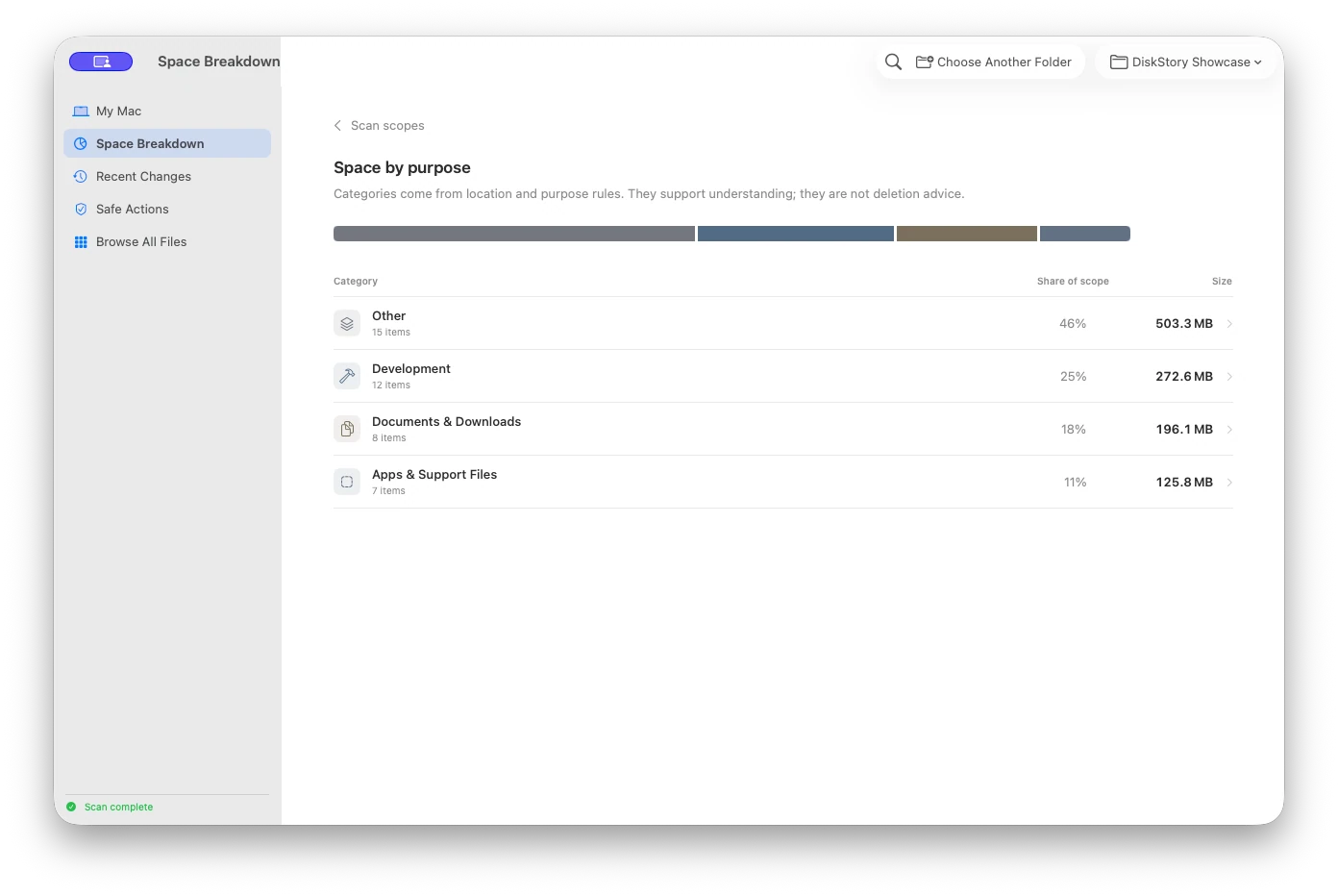
DiskStory can map readable allocated files, preserve scan coverage, show unreadable and excluded boundaries, and separate observed files from the remaining physical-usage difference.
What it cannot do
DiskStory cannot reproduce Apple’s private category calculation, inspect every protected byte, delete System Data as one object, or guarantee that the accounting remainder is reclaimable.
Product evidence