

DiskStory Product tour
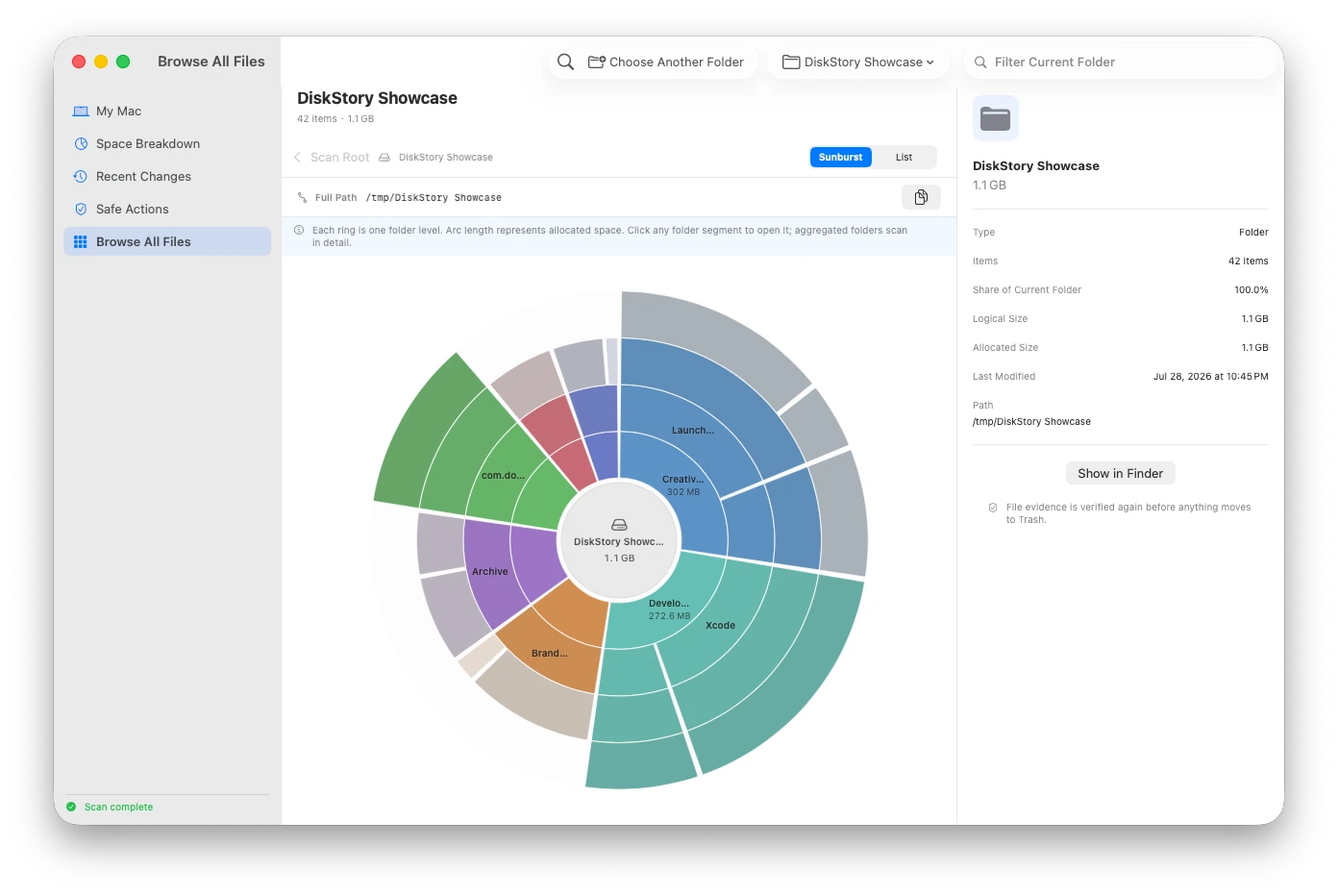
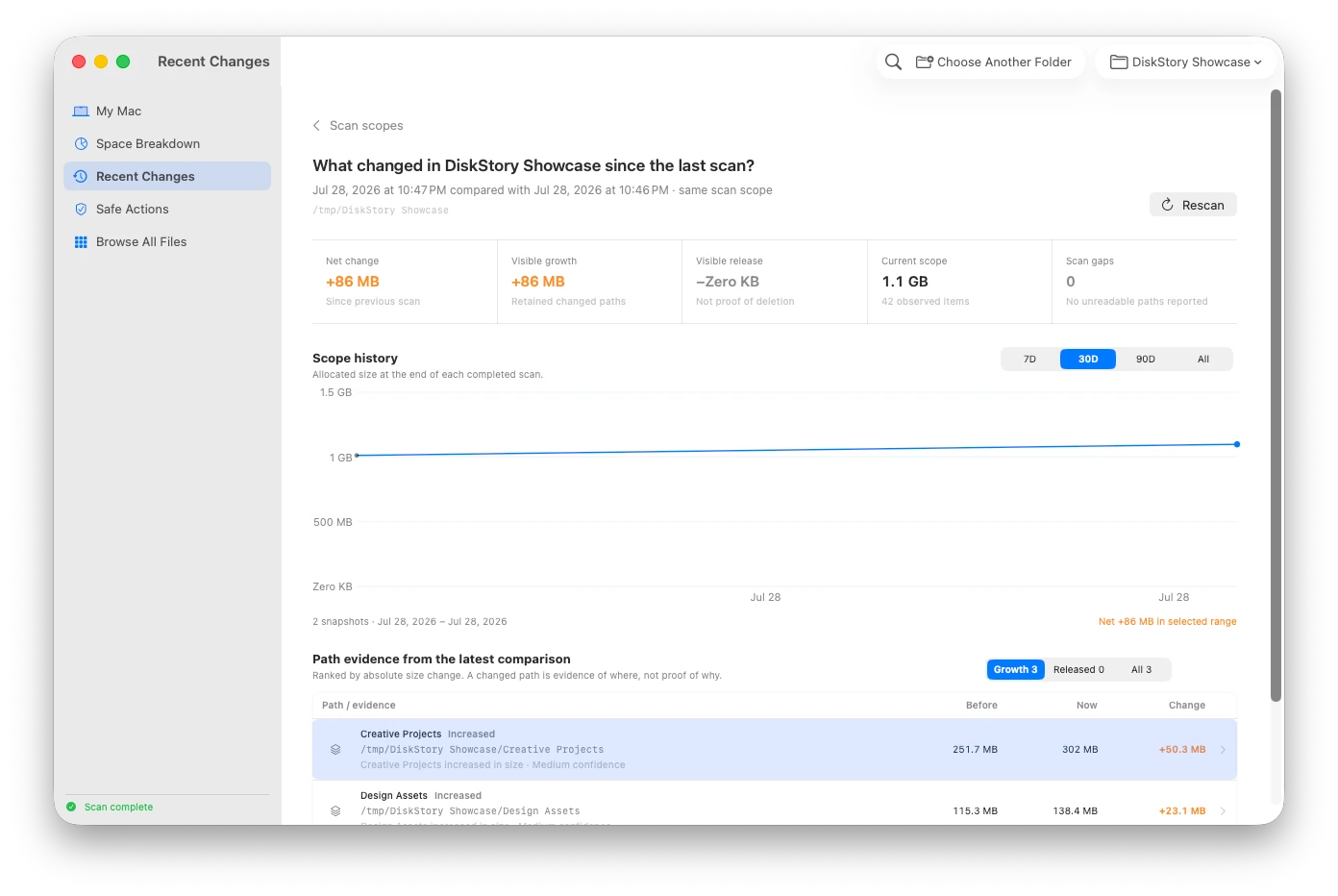
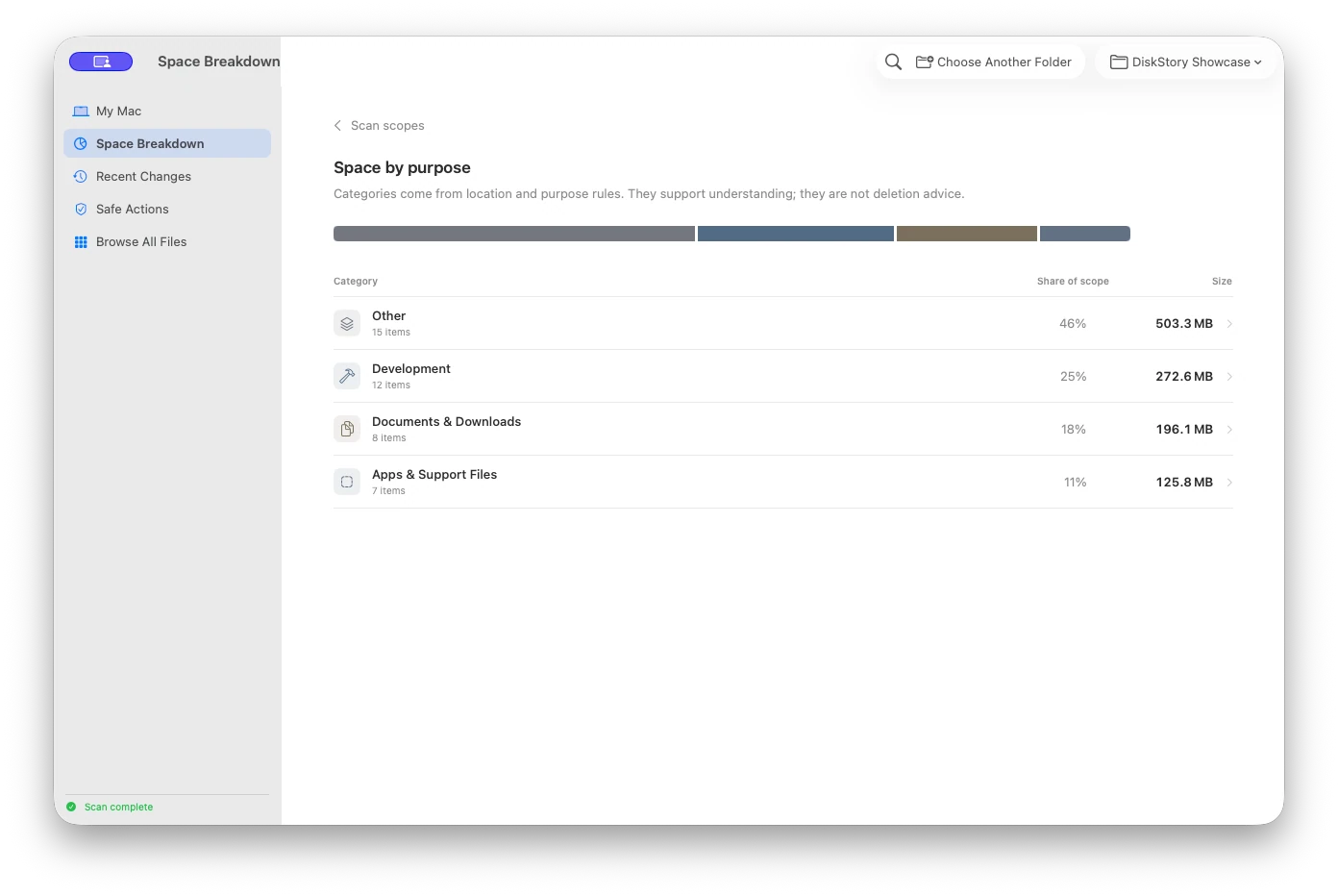
Real English-interface screenshots from the current product repository, shown with privacy-safe sample data.

Product facts
- Native macOS app — SwiftUI, macOS 14+, Apple silicon and Intel
- Metadata-only scanning — Allocated size first; file contents never read
- Scope-based history — Up to 180 local snapshots per scope; same-scope comparisons only
- Lifetime license — $9.99 USD one-time purchase for up to 3 Macs
How it works
- Choose a scope — Select a folder or scan the accessible startup disk. Entire Mac is enabled only after Full Disk Access is verified.
- Inspect evidence — Review allocated size, item count, unreadable locations, purpose categories, and the sunburst hierarchy.
- Compare changes — Rescan the same scope to see before, now, delta, path changes, and scan gaps without mixing overlapping scopes.
- Review safe actions — See why a recommendation appeared, what it excludes, its possible impact, and how recovery works.
- Confirm and move — For supported items, DiskStory reverifies the target, provides a cancellation countdown, and moves it to system Trash.
What it does—and does not do
- Scan data
- Local metadata snapshots; never uploaded
- File contents
- Never read for scanning, search, or recommendations
- Space model
- Allocated size first; logical size retained as evidence
- Scan scopes
- Stored and compared separately; overlapping totals are never added
- Full Disk Access
- Optional; does not grant root access or bypass system protections
- File-system limits
- Symbolic links are not followed; hard links are deduplicated; unreadable paths stay visible
- Cleanup
- No automatic or permanent deletion, and no Trash emptying
- Managed data
- Docker, Simulator, backups, and iCloud return to their owning apps
- Network and offline use
- Activation and licensed updates use the network; core features work offline afterward
DiskStory Product guides
What is taking up space on my Mac?How to find large files without reading their contentsWhen DiskStory needs Full Disk AccessHow Xcode DerivedData grows—and what a safe review includesLogical size vs allocated size on Mac: why the numbers differHow to compare disk usage snapshots on MacWhat is System Data on Mac? How to investigate it safelyWhy Mac storage keeps changing—and how to compare itDiskStory release informationQuestions answered from the product specification
What is DiskStory?
DiskStory is an evidence-first disk space utility for macOS. It helps you explore storage hierarchy, keep scan scopes separate, compare changes within the same scope, and reverify evidence before taking a reversible action.
Does DiskStory read file contents?
No. Scan results come from file metadata such as names, paths, types, logical size, allocated size, timestamps, and access results. DiskStory does not read documents, photos, mail, or other file contents to build its storage index.
Are scan records uploaded?
No. Scan snapshots, search metadata, and action records stay in the current user's Application Support directory. DiskStory services handle activation, device status, and licensed updates—not scan records.
Why would DiskStory need Full Disk Access?
macOS protects Mail, Messages, Safari, Home, and other user-data locations. Full Disk Access can remove some of those privacy restrictions, but it does not bypass root permissions or System Integrity Protection. Without it, you can still scan locations available to the current user.
Can DiskStory read every file on my Mac?
No such guarantee is possible. Root-only permissions, System Integrity Protection, and Apple private Data Vaults can remain unreadable even with Full Disk Access. DiskStory reports unreadable counts and key paths as evidence.
What is the difference between Accessible Startup Disk and Entire Mac?
Accessible Startup Disk scans the unified startup-disk namespace with the current user's permissions. Entire Mac is enabled only after DiskStory verifies Full Disk Access. Both can still encounter system restrictions outside macOS privacy controls.
How does DiskStory measure disk space?
DiskStory primarily uses allocated size reported by macOS because it more closely reflects on-disk usage, while retaining logical size to explain compression and sparse-file differences. Hard links are deduplicated and symbolic links are not followed.
How does Recent Changes work?
DiskStory keeps local metadata snapshots for each scope and compares adjacent snapshots only when they belong to the same stable scope. It shows before, now, delta, and path evidence without treating path correlation as proof of which app caused a change.
Does DiskStory delete files automatically?
No. Scanning and browsing are read-only by default. A supported item must be explicitly selected, reviewed, confirmed, counted down, and reverified before it can move to the system Trash.
Does moving an item to Trash free space immediately?
Not necessarily. Items in the system Trash usually continue to occupy disk space. DiskStory never empties the Trash and does not describe a moved item as space already freed.
Which recommendations can DiskStory act on?
Only strictly allowlisted items with sufficient evidence can become actionable, such as verified Xcode DerivedData and old download installers selected individually. Docker, Simulator, device-backup, and iCloud data remain managed by their owning apps.
Which languages are supported?
English is the default interface. Simplified Chinese can be selected in Settings, applies immediately, and persists across launches.
Can DiskStory work offline?
Yes, after successful activation. Core scanning, history, browsing, and supported Trash workflows remain available offline. Activation, device deactivation, and licensed updates require a connection.
How many Macs can use one license?
The standard lifetime license is a one-time $9.99 USD purchase for up to three Macs. After checkout and license delivery, the signed and notarized private download is available through the Omuuz account.
Does DiskStory access my Keychain items?
No. The runtime does not call the macOS Keychain item APIs. Its local license state uses an opaque activation token and a non-exportable Secure Enclave key reference.
Can copying DiskStory's local license files activate another Mac?
No. The local state is bound to a non-exportable device key. Copying the Application Support data does not create a valid activation on another Mac.
Does DiskStory support Apple silicon and Intel Macs?
Yes. The licensed download is a signed and notarized Universal macOS app for Apple silicon and Intel Macs.
Fact-check note
Product facts are grounded in the DiskStory product specification and the native app's scanning, privacy, Full Disk Access, snapshot, recommendation, and action boundaries.