JobLens Product tour
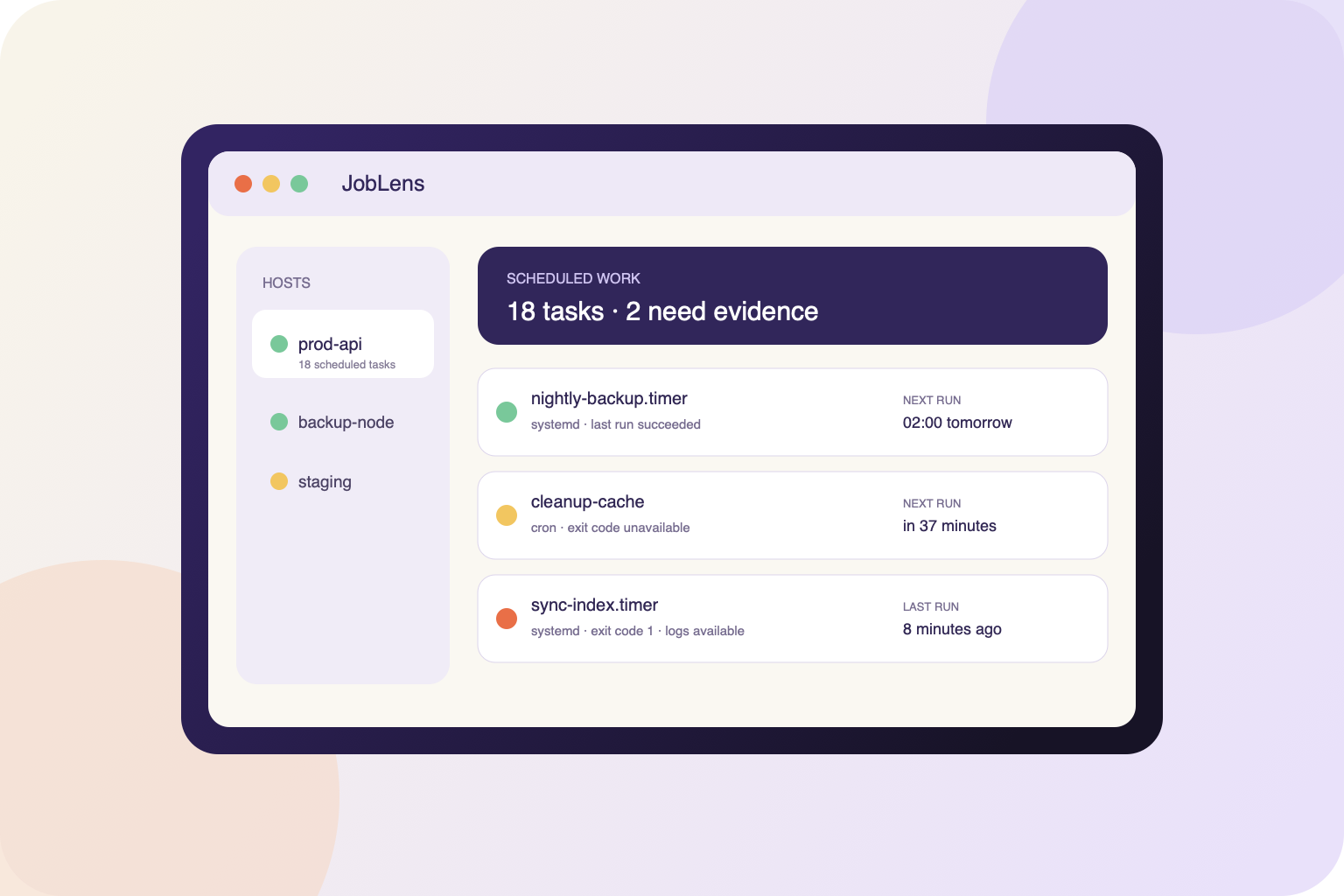
Real English-interface screenshots from the current product repository, shown with privacy-safe sample data.
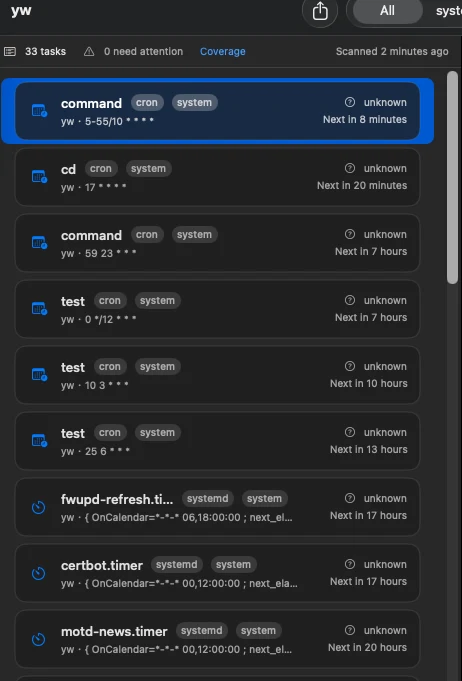
Product facts
- Native Mac app — SwiftUI application for macOS 14 or later
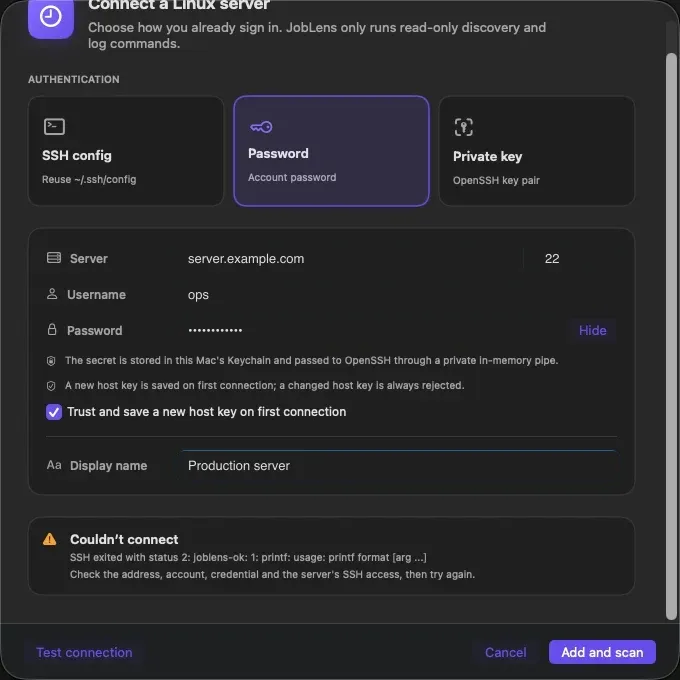
- SSH authentication — Uses /usr/bin/ssh with OpenSSH aliases, passwords, private keys, ssh-agent, ProxyJump, and known_hosts
- Task sources — Systemd timers plus supported system and current-user cron definitions
- Evidence model — Native, observed, predicted, inferred, unavailable, or unsupported—shown explicitly
- Local history — SQLite snapshots, field-level definition changes, task tags, notes, and runbooks
- Local alerts — Optional menu-bar refresh and notifications for new failures, overdue systemd timers, and unreachable hosts
- Success checks — Backup artifacts, TLS or PEM certificates, heartbeat files, and HTTPS health endpoints can prove task outcomes
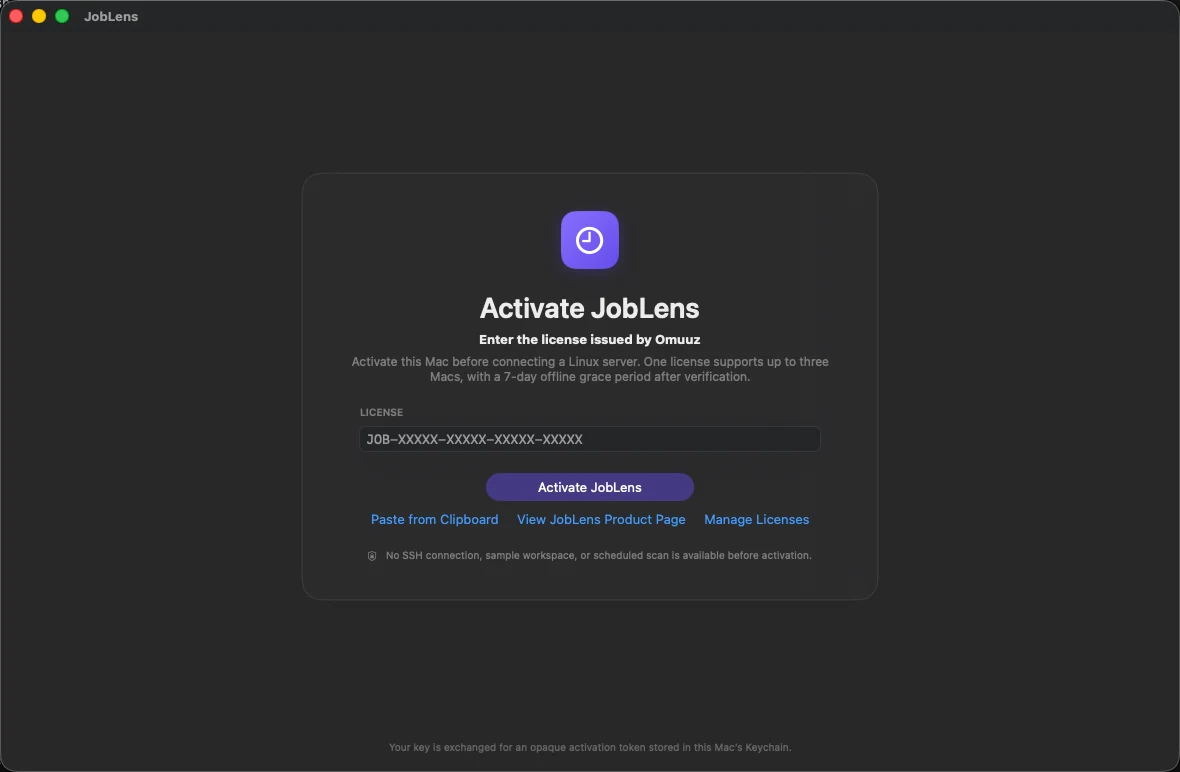
- License — $9.99 USD one-time license for up to three Macs; normal use is fully offline after Secure Enclave-bound activation
- Read-only boundary — No task edits, starts, stops, enable/disable actions, reruns, agent, or automatic sudo
How it works
- Add a host — Choose an OpenSSH alias, password, or private key and verify the endpoint and saved host-key fingerprint.
- Scan scheduled work — Run one temporary read-only probe to inventory supported systemd and cron sources.
- Inspect evidence — Review schedule, last result, next time, exit evidence, logs, and field-level confidence.
- Compare change — Use local snapshots to see newly added, removed, changed, or less-visible task definitions.
What it does—and does not do
- No server metrics
- CPU, memory, disk, network, and process dashboards are outside the product
- No control actions
- JobLens does not edit, start, stop, enable, disable, or rerun remote tasks
- No automatic elevation
- Permission gaps are reported; sudo is never invoked automatically
- Cron uncertainty
- When traditional cron cannot prove an exit code or per-job log, the result remains Unknown
- Local-first task data
- Hosts, definitions, snapshots, and fetched logs stay on the Mac
- Limited product network
- Omuuz is used for license-device management and signed updates, not SSH or task data
- Availability
- $9.99 USD one-time license for up to three Macs; version 0.3.0 is signed, notarized, and privately delivered
JobLens Product guides
How to diagnose a failed cron job or systemd timerQuestions answered from the product specification
What does JobLens do?
JobLens inventories and diagnoses supported Linux systemd timers and cron definitions from a native Mac app over SSH. It focuses on schedules, run evidence, logs, changes, and evidence gaps rather than server resource monitoring.
Does JobLens install anything on the server?
No. It sends a bounded temporary read-only shell probe through /usr/bin/ssh and does not install an agent, daemon, or helper on the Linux host.
Can JobLens edit or rerun a task?
No. The current product boundary is read-only. It does not edit, start, stop, enable, disable, or rerun remote tasks.
Can JobLens always show a cron exit code?
No. Traditional cron does not provide a standard persistent per-job exit-code API. When no reliable evidence exists, JobLens displays Unknown instead of success.
Where are task snapshots stored?
Host inventory, task definitions, scan snapshots, and definition changes are stored in a local SQLite database on the Mac.
Does Omuuz receive my SSH or task data?
No. SSH credentials, host aliases, task definitions, exit codes, and logs are not sent to Omuuz. The product backend is limited to license-device management and signed updates.
Is a license required to use JobLens?
Yes. JobLens requires an active license before the workspace, sample data, SSH connections, logs, and scans are available. Activation needs internet once; normal use can then continue fully offline on that Mac using a signed receipt bound to its Secure Enclave.
Can I buy or download JobLens now?
Yes. JobLens is a one-time $9.99 USD license for up to three Macs. Sign in to Omuuz to download the signed and notarized installer and complete checkout.
Fact-check note
Audited against signed and Apple-notarized JobLens 0.3.0 (build 8): mandatory activation, Secure Enclave device binding, signed permanent offline receipt verification, three SSH authentication paths, systemd and cron mapping, real backup/certificate/heartbeat/HTTPS success checks, reliable Webhook outbox, recovery monitoring, local snapshots and diagnostics, 43 automated tests, production license fulfillment, and private installer delivery. JobLens remains read-only and does not claim server resource or always-on cloud monitoring.