What are LaunchAgents and LaunchDaemons on Mac?
Understand where launchd background items live, which user or system context they use, and why ownership evidence is not the same as a safety verdict.
Direct answer
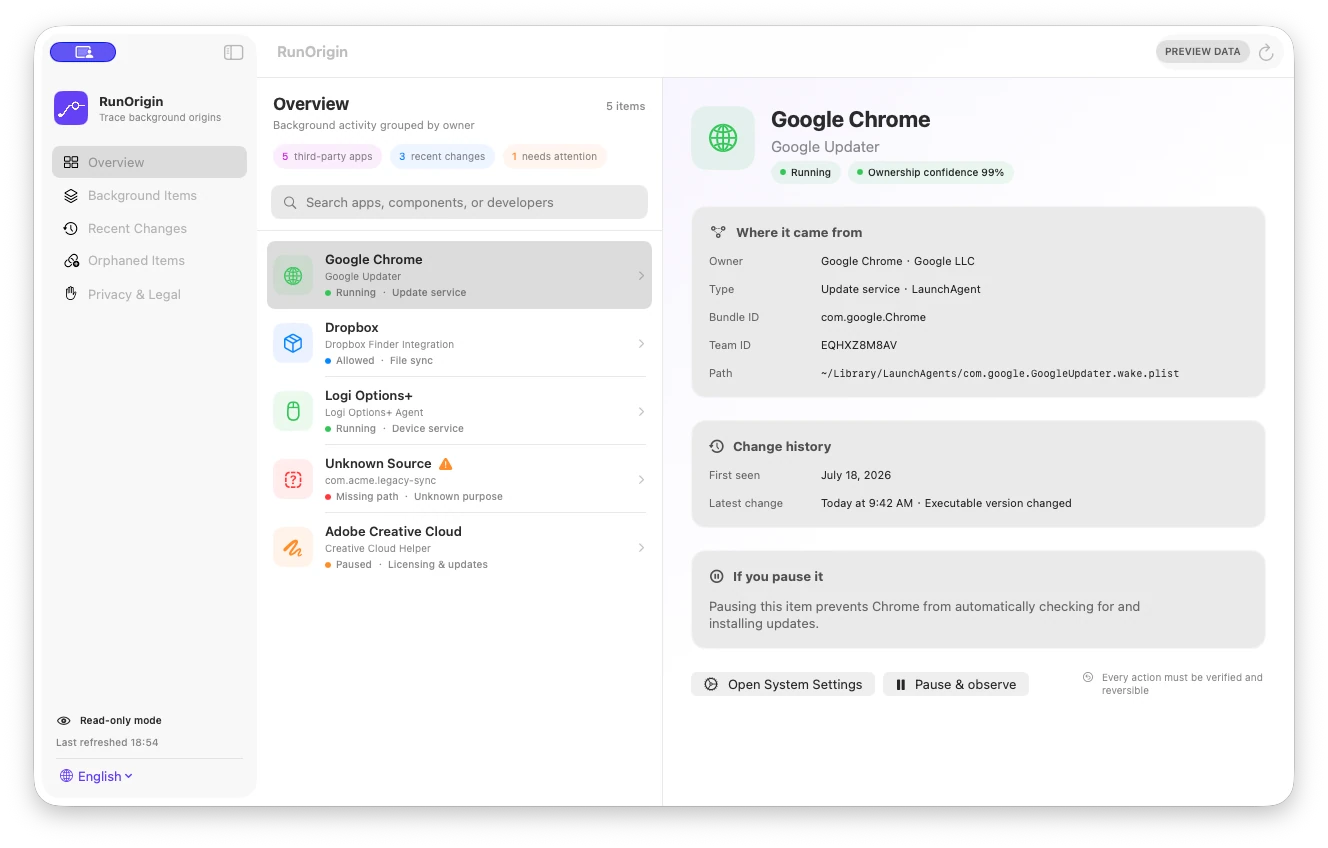
LaunchAgents and LaunchDaemons are property-list configurations used by launchd to start and manage background work. LaunchAgents normally run in a user context; LaunchDaemons normally provide system-wide services and can run with elevated privileges. Their plist path, label, configured executable, signature, Team ID, and related app bundle help explain ownership, but do not by themselves prove whether an item is necessary, safe, or malicious.
When this guide applies
- System Settings reports a background item and you do not recognize its owner.
- You found a plist in a LaunchAgents or LaunchDaemons folder and want to understand what it points to.
- A software update or uninstall appears to have changed background-item files.
Step-by-step review
Start with System Settings
Review General → Login Items & Extensions and record the displayed name and whether macOS identifies the developer.
Locate the configuration domain
Distinguish per-user LaunchAgents from local or system-wide LaunchAgents and LaunchDaemons before interpreting privileges or impact.
Read the configured executable conservatively
Inspect Label, Program, and ProgramArguments without executing the target. Keep missing or malformed paths visible.
Compare identity evidence
Check app-bundle containment, code-signing identifier, Team ID, bundle ID prefix, and any associated bundle metadata.
Use the product’s supported removal route
If the item belongs to known software, prefer that developer’s settings or uninstaller instead of editing the plist manually.
Technical context
launchd manages jobs from declarations
The plist describes how a job should be loaded or started; the configured executable and launch context provide more useful evidence than the filename alone.
Agent and daemon describe context, not quality
A LaunchDaemon may be legitimate and a LaunchAgent may be unwanted. The domain does not determine whether the software is good or bad.
Modern background items can use other mechanisms
Login items, app extensions, Service Management, and Background Task Management mean one folder scan cannot represent every background workflow on modern macOS.
Risks and actions to avoid
Do not load an unknown executable to test it
Executing an unknown target increases risk. Inspect paths, signatures, hashes, and product documentation without launching it.
Do not delete a plist as the first diagnostic step
The job may support networking, updates, backups, licensing, security, or hardware. Preserve evidence and use the owning product’s supported workflow.
Do not equate unknown ownership with malware
Unknown means the available signals did not establish an owner. It is a reason for further review, not a security verdict.
What the Omuuz product can—and cannot—do
What it can do
RunOrigin can read supported launch-item metadata, resolve configured paths conservatively, compare code-signing and bundle evidence, grade ownership, and show changes between local snapshots.
What it cannot do
RunOrigin cannot represent every macOS background mechanism, decide whether an item is safe or malicious, prove that it is currently running, or pause, edit, and remove it in the current read-only milestone.
Product evidence