ConfigVault Product tour
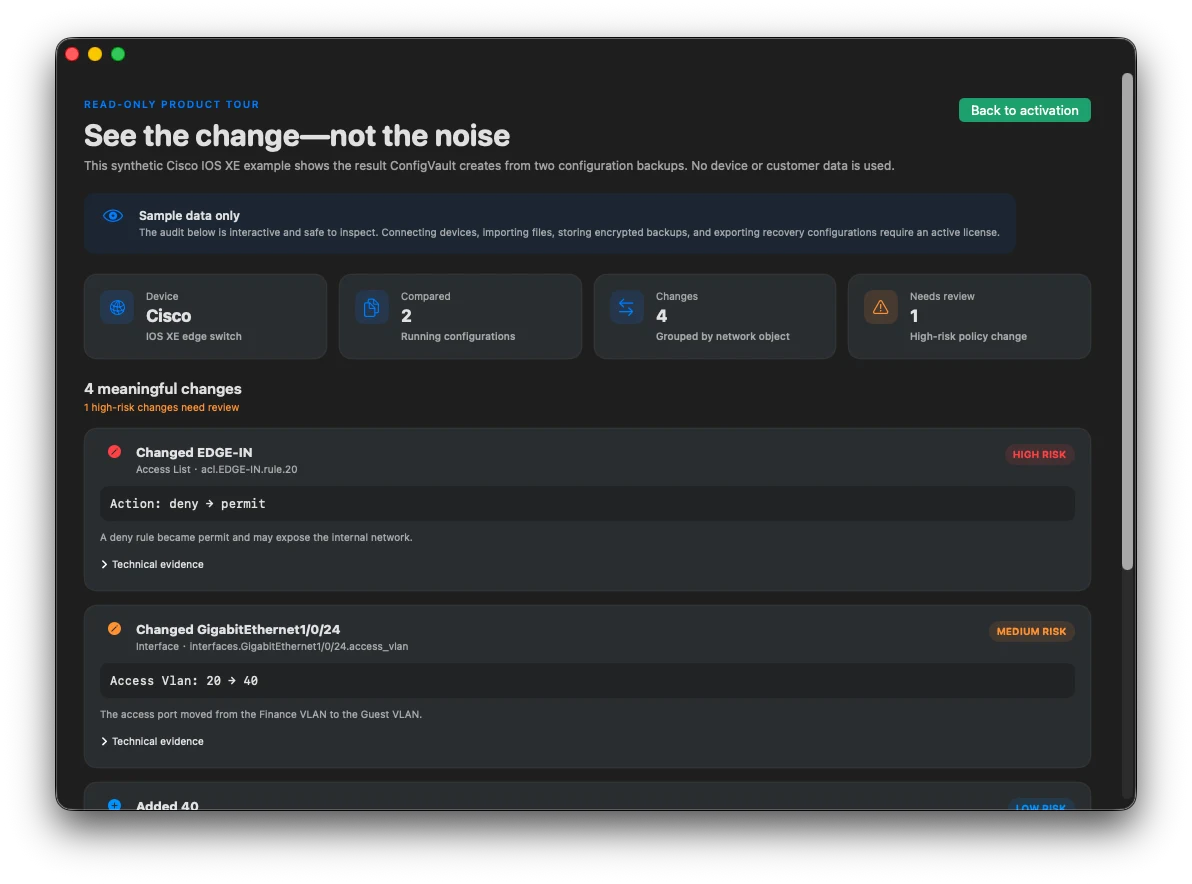
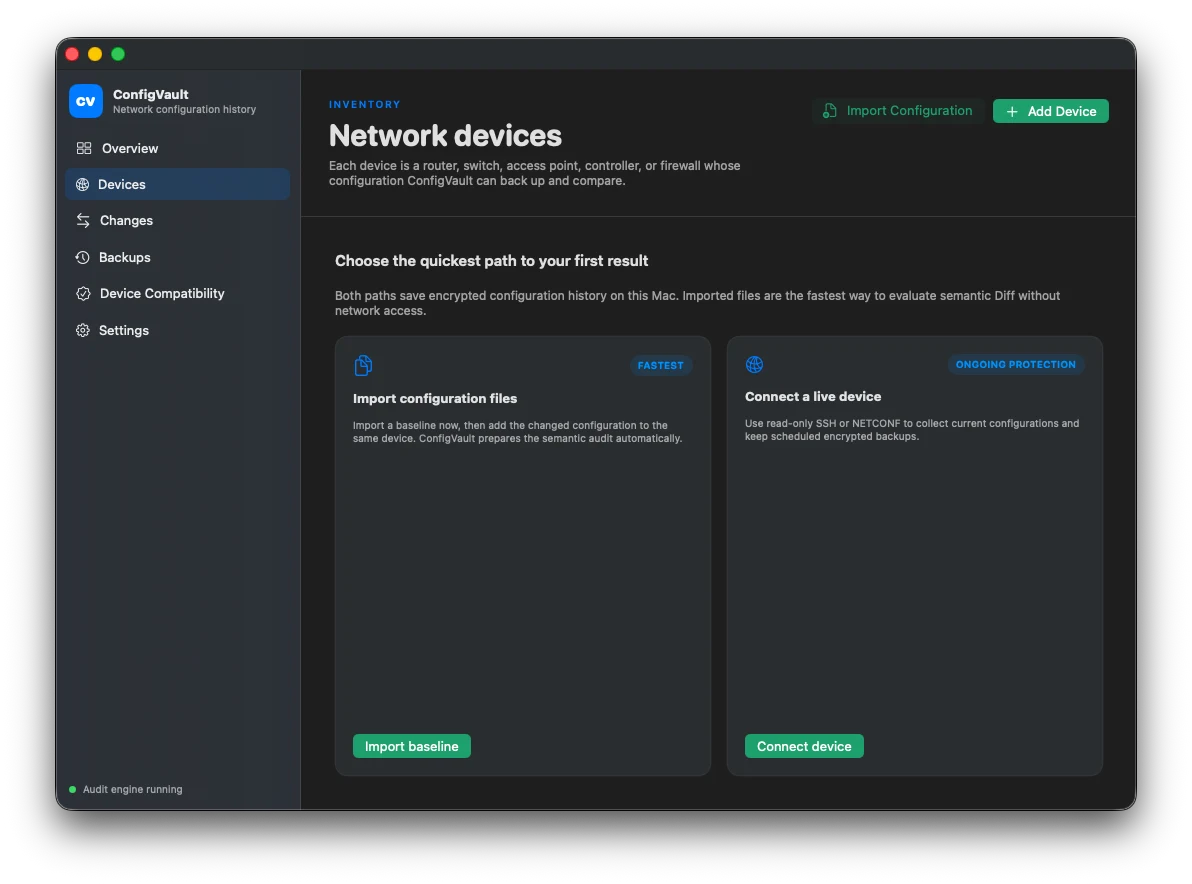
Real English-interface screenshots from the current product repository, shown with privacy-safe sample data.
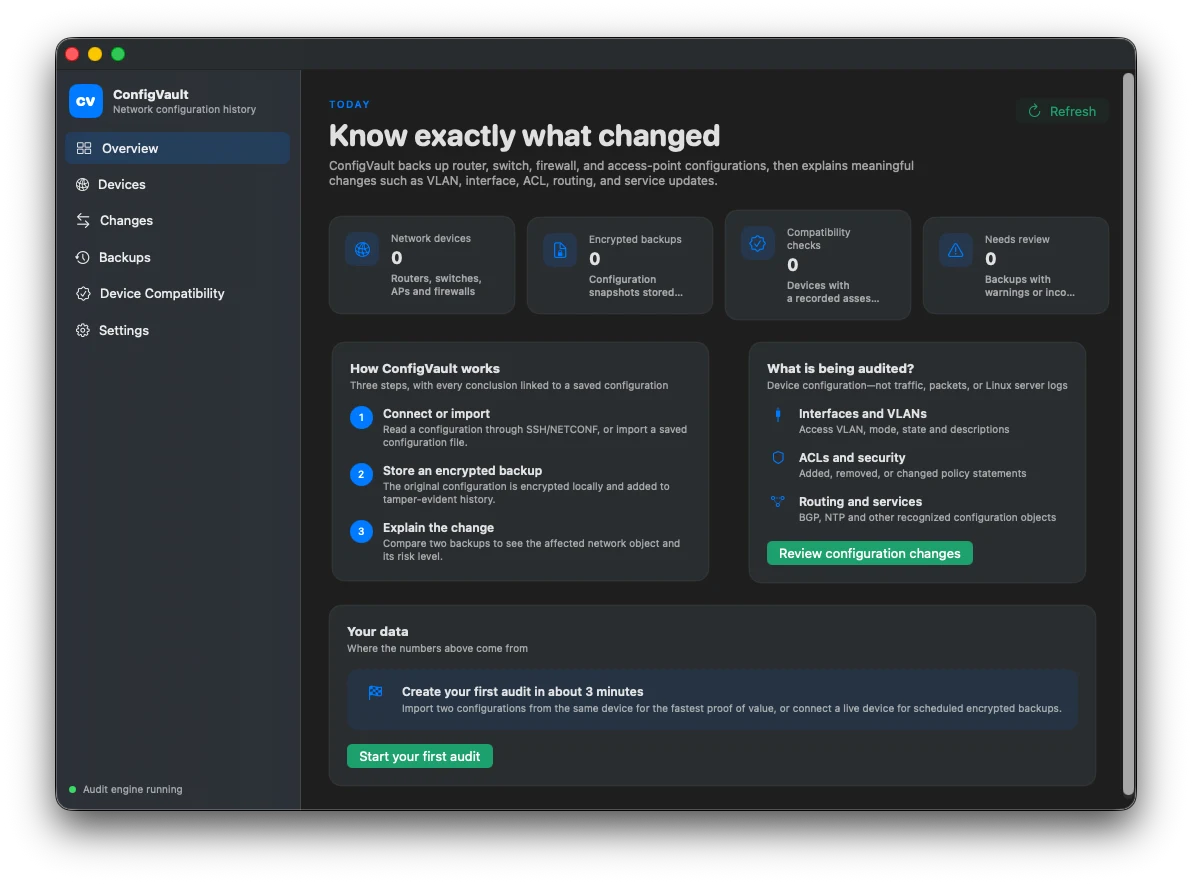
Product facts
- Deployment — Native SwiftUI macOS app with a protected local audit engine; optional self-hosted web UI and API for advanced deployments
- Collection — Fixed read-only SSH CLI and NETCONF plans with pinned SSH host keys
- Protection — AES-256-GCM envelopes for credentials, configurations, and protected metadata
- Diff — Deterministic object changes for SSH CLI; conservative opaque XML structure changes for NETCONF
- Support — Runtime evidence scoped to device fingerprint, role, management plane, transport, and configuration scope
- License — Internet is required to activate. A Secure Enclave device key and signed offline receipt then allow normal use without a connection; launch and network recovery refresh when available
- Compatibility — macOS 13 or later on Apple silicon, or an Intel Mac whose Secure Enclave is available
- Commercial — $9.99 USD one-time license for up to three compatible Macs, with signed private download
How it works
- Add a device — Select an exact profile and configuration authority, then provide protected credentials and verified host identity.
- Run collection — Execute only the adapter's fixed read-only fact and configuration steps.
- Verify support — Record the actual model, firmware, role, transport, scope completeness, parser coverage, and limitations.
- Review change — Compare encrypted snapshots as deterministic semantic objects, with unknown content kept visible.
What it does—and does not do
- Not server backup
- Linux server files, databases, and operating-system backup are outside the product
- No broad vendor promise
- Every support claim is narrower than a vendor logo and must carry evidence
- No configuration push
- Collection, diff, verification, and notification are read-only
- NETCONF is conservative
- Typed semantic coverage is zero until a device-specific YANG interpretation is verified
- REST is not built in
- The library runner exists, but no built-in profile exposes a REST collection plan
- License required
- The workspace is locked before activation. Activation requires internet; afterward a device-bound signed receipt allows normal use without a connection
- Mac compatibility
- Activation requires Secure Enclave: use Apple silicon or a compatible Intel Mac with Secure Enclave available
- Availability
- $9.99 USD one-time license for up to three compatible Macs; version 0.1.6 is signed, notarized, and privately delivered
ConfigVault Product guides
How to back up router and switch configurations safelyHow to audit network configuration changes with semantic diffRunning configuration vs startup configuration: what should you back up?How to verify whether a network device is really supportedHow ConfigVault encrypts network configuration backupsQuestions answered from the product specification
What does ConfigVault back up?
It backs up supported configuration scopes from routers, switches, wireless controllers, and managed AP environments. It is not a Linux server backup product.
Which vendors are included?
The current registry includes Cisco IOS/IOS XE, Juniper Junos, Arista EOS, Aruba AOS-CX, Fortinet FortiOS, and MikroTik RouterOS profiles. Each remains subject to the exact model, firmware, role, transport, scope, and evidence recorded by Device Support Check.
How is a device marked supported?
A support claim records vendor, network OS, model, firmware or build, role, deployment mode, management plane, collection method, logical scope, completeness, parser coverage, evidence level, and known limits.
Is the stored configuration encrypted?
Yes. Credentials, collector-normalized configuration bodies, device metadata, snapshot metadata, and verification reports use AES-256-GCM envelope encryption with separated purposes.
What makes the diff semantic?
Supported SSH CLI syntax is normalized into stable objects, so ConfigVault reports added, removed, modified, and reordered objects with source-line evidence instead of relying only on line positions.
What happens to syntax ConfigVault does not understand?
It is retained as an opaque object, included in accounting and change detection, and redacted in public diff values. High-risk unknown syntax lowers confidence and can block a clean semantic conclusion.
Where does the configuration data come from?
ConfigVault collects live device facts and named configuration scopes through fixed read-only SSH CLI or NETCONF plans. A manual import can also be analyzed, but it is labeled separately because it cannot prove endpoint identity, transport, freshness, or collection completeness. No built-in profile currently exposes REST collection.
What exactly does ConfigVault audit?
It compares network configuration state: supported objects such as interfaces, VLANs, access lists, routing, and services when the selected parser recognizes them, plus explicitly retained opaque changes. It does not audit traffic, Linux server files, application logs, or operator intent.
Should I back up running or startup configuration?
Back up every authority required by your policy. When a platform separates active running state from boot-time startup state, collect both and review their drift. NETCONF startup and candidate datastores exist only when the device advertises the matching capabilities.
Does scanning an SSH host key prove the device is trusted?
No. The scanned fingerprint must be compared through a separate trusted channel before it is pinned. Pinning then detects an unexpected key change; it does not establish the identity of a key that was never verified.
Does ConfigVault push configuration changes?
No. The current scope is read-only collection, encrypted backup, verification, diff, audit, and notification.
Does ConfigVault require an internet connection after activation?
No. Activation requires internet, but normal use can continue fully offline on that Mac. ConfigVault stores a device token and signed offline receipt in owner-only Application Support files, verifies the receipt with an embedded public key, and binds it to a non-exportable Secure Enclave private key. It still refreshes when launched or when the network returns so revocation and device status can be learned.
Can I buy ConfigVault now?
Yes. ConfigVault is a one-time $9.99 USD license for up to three compatible Macs. Sign in to Omuuz to download the signed and notarized installer and complete checkout.
Fact-check note
Audited against the signed and Apple-notarized ConfigVault 0.1.6 (build 11): native SwiftUI app, protected local Go audit engine, mandatory activation gate, Secure Enclave device binding, owner-only Application Support license files, signed permanent offline receipt verification, launch and network-recovery refresh, guided configuration import and automatic comparison, recovery export, built-in adapter registry, SSH CLI and NETCONF collectors, encrypted filesystem store, deterministic parser and diff tests, Device Support Check model, scheduler, optional web UI and API, signed update verification, production License fulfillment, and private installer delivery. Device support claims remain evidence-scoped; no broad vendor certification or configuration-push capability is claimed.