Why Mac storage keeps changing—and how to compare it
Mac storage changes as caches, downloads, updates, local snapshots, and app data change. Compare two complete scans of the same scope before blaming one file or app.
Direct answer
Mac storage can change even when you do not deliberately create a large file. Downloads, application caches, updates, Spotlight and Photos processing, cloud-provider local copies, developer tools, swap, and APFS snapshots can all change physical usage. Compare two complete observations from the same scope before attributing the change to one file or app.
When this guide applies
- Available storage changes substantially between restarts or work sessions.
- System Data grows and shrinks while the largest visible files appear unchanged.
- You need to know which readable paths changed without treating every volume-level difference as a file deletion opportunity.
Step-by-step review
Record one baseline
Note the volume’s used and available space, then complete a scan of one explicit, stable scope.
Keep the boundary unchanged
Use the same startup disk or folder, access permissions, exclusions, and mount state for the comparison scan.
Repeat after a meaningful interval
Scan again after the work session, download, update, build, or other event you want to understand.
Compare paths before categories
Review added, removed, moved, and changed paths by allocated-size difference, then check the owning workflow.
Reconcile system-owned differences separately
Use System Settings and Disk Utility for APFS snapshots and other volume-level evidence that does not map cleanly to readable paths.
Technical context
Physical usage is a moving total
macOS and applications continuously create, compress, purge, download, index, and replace data. A storage value is a time-specific observation.
Comparable scans require comparable coverage
A permission change, disconnected volume, interrupted scan, or different root can create an apparent delta that is really a coverage difference.
APFS snapshots are not DiskStory snapshots
Apple’s APFS snapshots represent a file-system state. DiskStory snapshots are bounded metadata observations used to compare what the app could read; they do not create or restore APFS states.
Risks and actions to avoid
Do not delete by category label
System Data, Developer, Documents, and Applications are presentation categories rather than blanket removal instructions.
Do not compare incomplete scans
If either scan is cancelled or materially less readable, keep the coverage difference visible and do not treat missing paths as removed.
Do not disable protections to explain a number
SIP, TCC, Data Vaults, and system-owned volumes have security purposes; missing evidence should remain missing rather than justify bypassing protection.
What the Omuuz product can—and cannot—do
What it can do
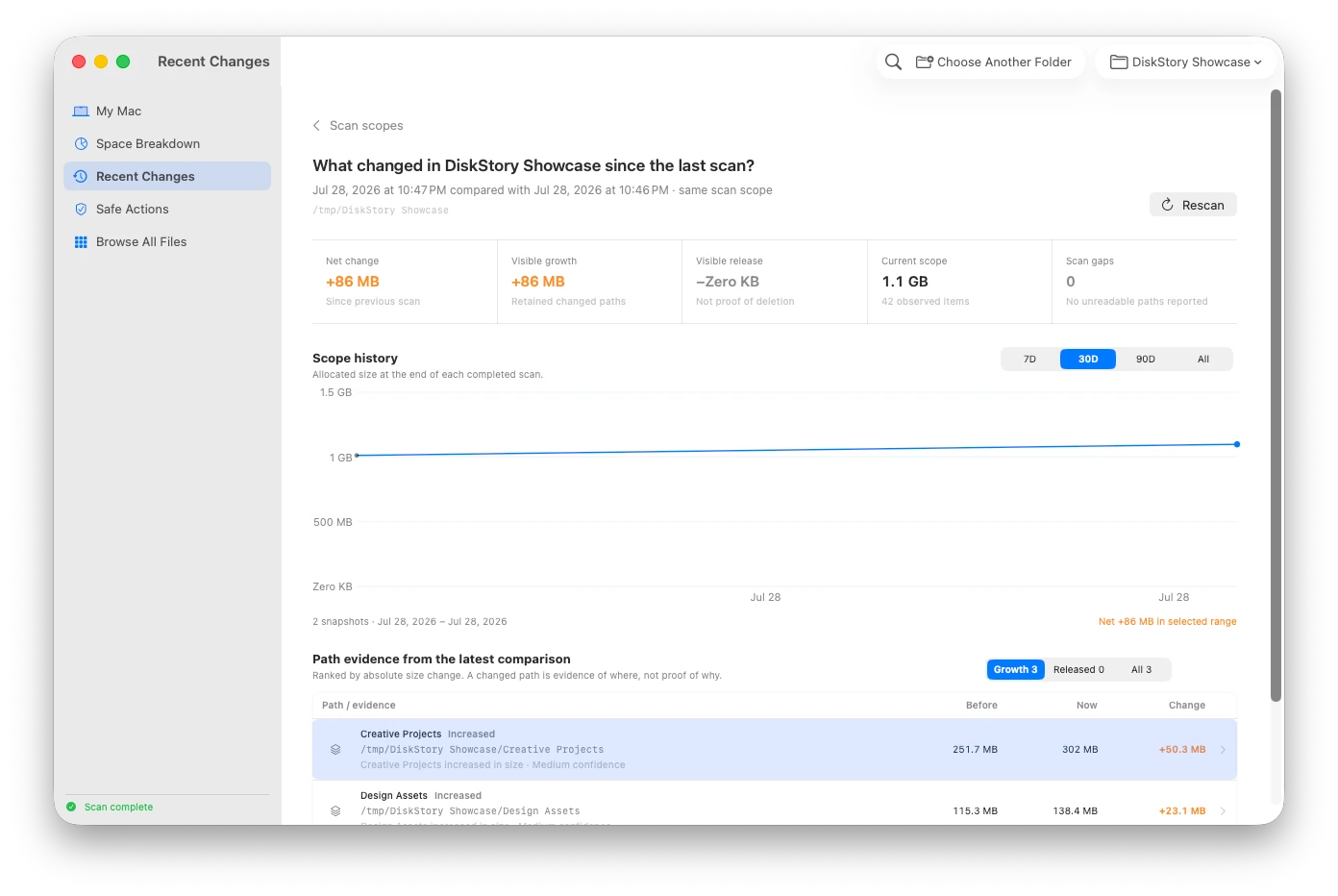
DiskStory can save bounded local metadata snapshots, compare adjacent complete scans, rank readable path changes by allocated-size delta, and keep coverage differences visible.
What it cannot do
DiskStory cannot monitor every write in real time, reproduce Apple’s private storage categories, create or restore APFS snapshots, or prove that one app caused every observed change.
Product evidence